From First Enquiry to Install: How Cabneo Handles Your Jobs
Discover how Cabneo streamlines your cabinet making workflow from initial customer enquiry through to final installation.
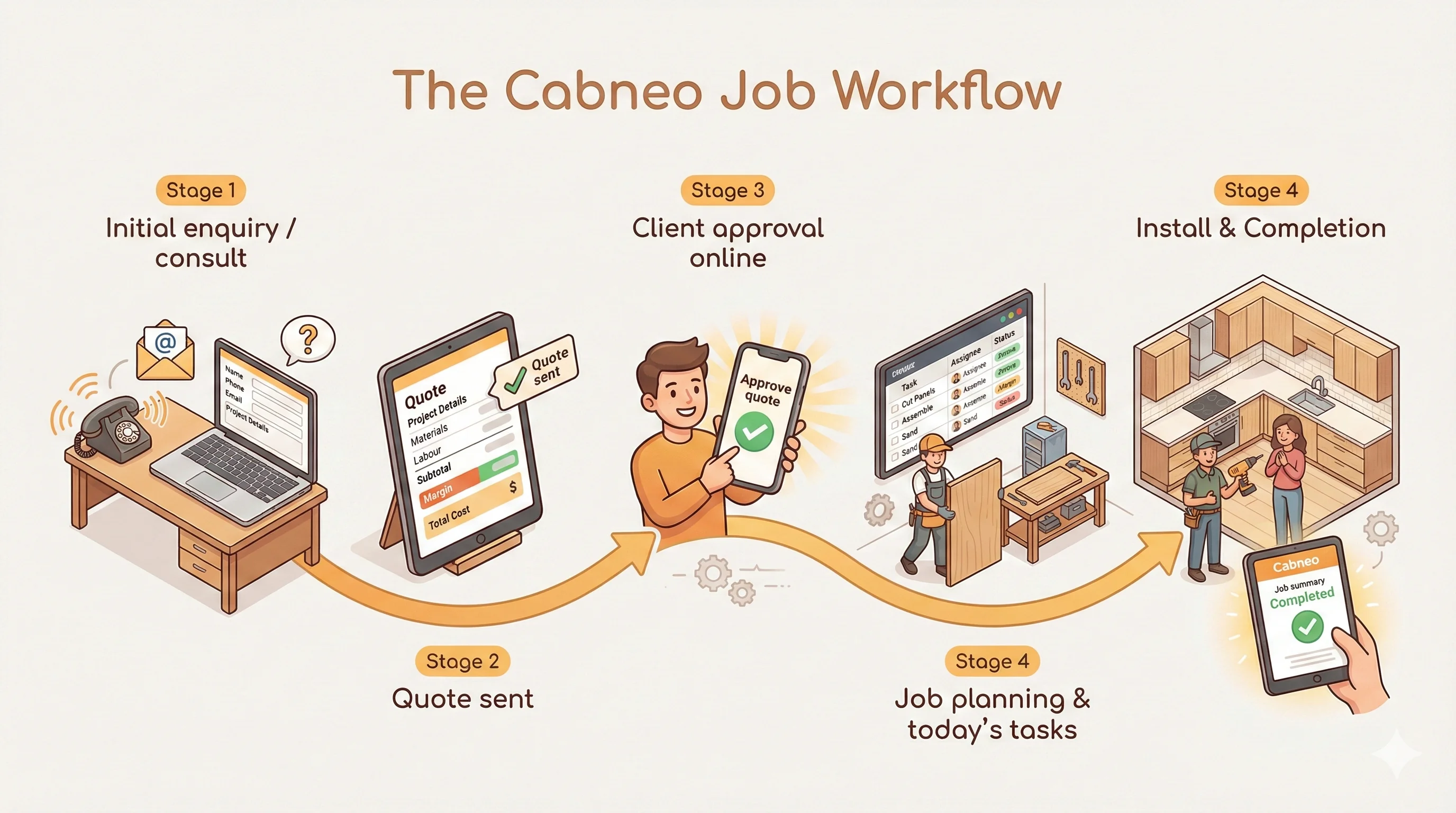
Cabinet work isn't a one-off service call. Every job moves through a few big stages: initial enquiry and consult, quoting and approvals, job planning and production, workshop scheduling, installation and wrap-up.
Cabneo is scheduling-first. This article describes the optional end-to-end Cabneo quoting path; shops can instead keep quoting in CAD, spreadsheets or another trusted system and start in Cabneo with the accepted job.
Cabneo is built around that flow so you don't have to glue it together with spreadsheets and email threads.
Step 1: Initial enquiry & consult
Cabneo starts with leads, not just jobs.
Capture new enquiries in one place: name, contact details, project type, notes. Smart address capture using Google Places means you don't fight bad addresses later.
Use the lead record during your first consult. Keep notes on scope, budget, and decisions. See the full history of emails, quotes and jobs linked to that lead.
Result: you always know who this job is for and what you discussed before you ever open CAD.
Step 2: Quoting & client approvals
Once you understand the project, Cabneo helps you price it properly.
Configurable product catalog: Set up your own products—cabinets, drawers, accessories—with options. Let Cabneo pull in the right materials and costs per configuration.
Margin and quote health built-in: See internal cost and margin while you build the quote. Quote Health flags stale or risky quotes so you know where to follow up.
Client-facing approvals: Send quotes via email with a secure link to a clean client page. Clients can approve or decline online; Cabneo updates status and notifies you.
Result: fewer free designs floating around, clearer approval, and a quote pipeline you can actually see.
Step 3: Job planning & production
When a quote is accepted, you shouldn't have to re-enter everything.
Quote → Job in one step: Turn an accepted quote into a job with a single flow. Keep all linked tasks, materials, and client details with the job.
Job Health dashboard: Each job has a health score and attention level (Critical, At Risk, On Track). Highlights overdue jobs, timeline risk, budget/material issues.
Result: you always know which jobs are safe and which ones need attention before they blow up.
Step 4: Workshop scheduling & daily plan
Cabneo's workshop tools are designed for the office and the floor.
Task-driven workflow: Create tasks for cutting, assembly, finishing, install prep, admin and more. Each task carries its own status, priority, dates, and time estimate, with optional reusable steps for instructions, checks, and photo requirements.
Workshop views:
- Run Sheet – the date-based execution view that shows what each centre should be doing and what comes next.
- Centre Schedule – the visual calendar for placing or moving work across days.
- Triage – the inbox for unscheduled or slipped work that needs a date decision.
- Dispatch – the optional crew/day timing view when you want more explicit assignment detail.
Crew-aware scheduling: Assign tasks to specific workers or crews from Run Sheet, Triage, or Centre Schedule event popovers. Dispatch adds optional time windows when a shop wants more explicit crew/day placement.
Result: everyone can see "what's next" without having to decode a generic calendar.
Step 5: Installation & wrap-up
The job isn't done when it leaves the factory.
Installation stages with optional steps: Plan one task for each included stage, from site preparation through cabinet installation and final handover. Reusable steps can add instructions, checks, and photo requirements, but they never decide whether the stage task exists.
Task completion feeds back into job health: Completed install tasks update the job and dashboards automatically. You can see at a glance which installs are done, which are in progress, and which are stuck.
Result: fewer site surprises, more consistent installs, and a cleaner handover.
If your current "system" is a mix of A4 sheets, spreadsheets and a calendar app, Cabneo gives accepted work a cabinet-focused path through planning, production and install. Use its earlier sales and quoting workflow only where it fits; Cabneo does not try to become your full ERP or accounting system.