Plan in hours. Know what needs attention.
Scheduling-first software for cabinet makers. See booked hours across your centres, spot what needs attention, and review a revised plan when a machine is down or someone is away.
Free to start. No credit card. Confirm your email, then add your first job.
Example schedule
Assembly crew away Tuesday.
One lost day. Three jobs replanned.
Assembly has 8 hours per working day. Before: the assembly crew is away on Tuesday 15, but Oak kitchen (4h) and Birch laundry (4h) are still booked for assembly that day. Cedar wardrobes (8h) is booked for assembly on Wednesday 16 and Ash vanity (4h) on Thursday 17. Cutting runs as normal: Cedar on Tuesday, Ash on Wednesday.
After, Cabneo’s proposed plan: Oak and Birch are assembled on Wednesday 16. Cedar’s assembly is split, 4h on Thursday 17 beside Ash and 4h on Friday 18. Ash and all cutting stay where they were.
Recorded installs: Oak Thursday 17, Birch Friday 18, Cedar Monday 21.
A revised plan around the work already booked. Cedar shares Thursday with Ash and finishes Friday. Cutting and the recorded install dates stay unchanged.
Inside Cabneo · Finish By
See what moves. And why it fits.
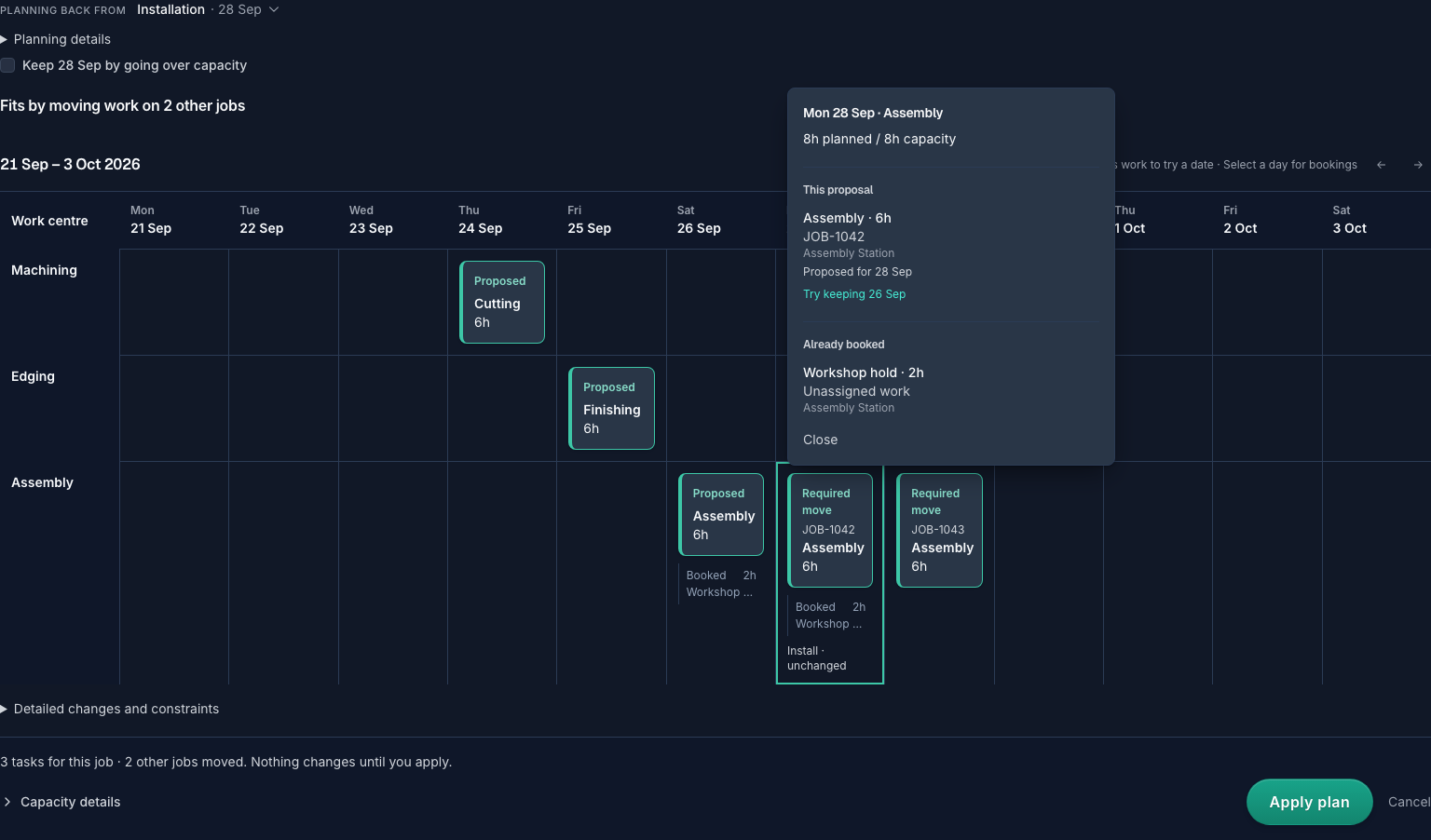
Review proposed work beside existing bookings. Select a day to see its hours against capacity and why another job may need to move before you apply the plan.
Josh Sketchley
Seaside Kitchens & Joinery
I literally just cancelled my Jobman subscription because this looks way more manageable and easy to set up and use.
You shouldn’t need an ERP to schedule your shop.
I made Cabneo because I wanted software that did less, but did it better.
The goal is to know what’s happening in your shop from your phone.

Mark Radford
Founder of Cabneo
Over 20 years building software.
Start with real work
See your work in Cabneo. Start with one job.
Add an upcoming job, its install date and rough stage hours. Review where those hours land before confirming the schedule. Already have a spreadsheet? Pasting rows is an alternative.
One live schedule. No big software rollout.
Create your account and confirm your email
Start free, with no credit card. Sign in after confirming your email.
Add your first job
Enter a job reference, install date and rough hours for each stage. Or paste rows from Excel or Sheets.
Review and confirm the schedule
Your job is saved to the backlog. Check the proposed schedule, then confirm when it is right.
See what your next job needs.
Start with one upcoming job. See where its hours fit, review the plan and make your next scheduling decision with the workshop’s capacity in view.