Use the Workshop Kiosk
Kiosk mode is a fast, shared-device workflow for the floor:
- Pick a crew member identity.
- Open Next up (My Work Today).
- Run the job card in focus mode — start, pause, report a blocker, and complete steps.
It keeps the workshop moving without forcing every worker into the full planner/admin UI.
Text version of this video
From a separate admin or foreman account, open Floor, then Crew.
- Before: Alice has a task assigned, but nothing is underway yet.
- On the shared kiosk, Alice chooses her name and starts the assigned task.
- Back in the admin or foreman Crew view, Alice’s task now shows as underway.
- Alice finishes the task on the kiosk.
The admin or foreman Crew view updates again: the finished task clears and Alice’s next task comes into view.
Before the first shift
The shared workshop device must already be signed in with its dedicated Kiosk login. Workers also need scheduled, assigned work before it can appear in their task list.
If the device is not ready yet, follow Set Up the Workshop Kiosk.
What workers do
1) Check the schedule and choose crew member
Before a crew member is selected, the shared device can show today's read-only Kiosk Schedule. Select the worker profile before recording any work so every action is attributed to the right person.
- No-PIN profiles can start immediately.
- PIN-protected profiles require PIN entry first.
2) Check Messages + Next up (My Work Today)
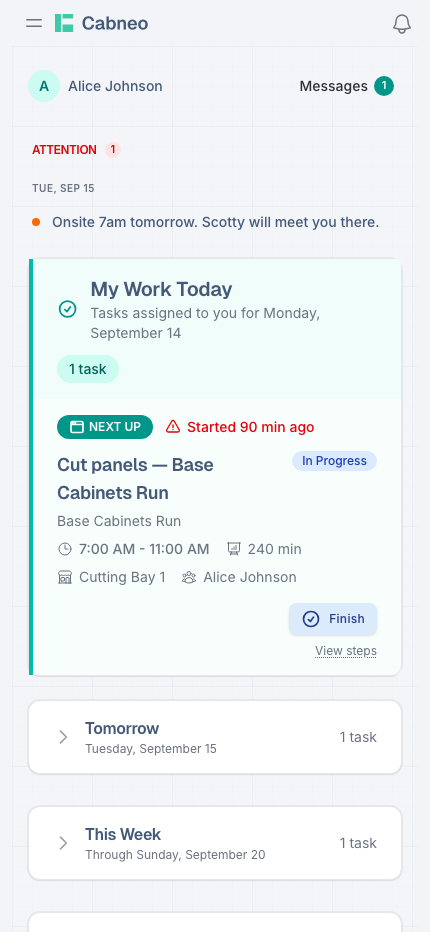
After selecting identity, workers land on a compact mobile view:
- Messages is a lightweight link with a badge count (not a large button).
- My Work Today stays the primary execution card with workstation and status.
- Tasks are ordered by time windows when available; otherwise it still works as “today’s list”.
- Start or Resume opens task focus mode.
3) Execute in focus mode
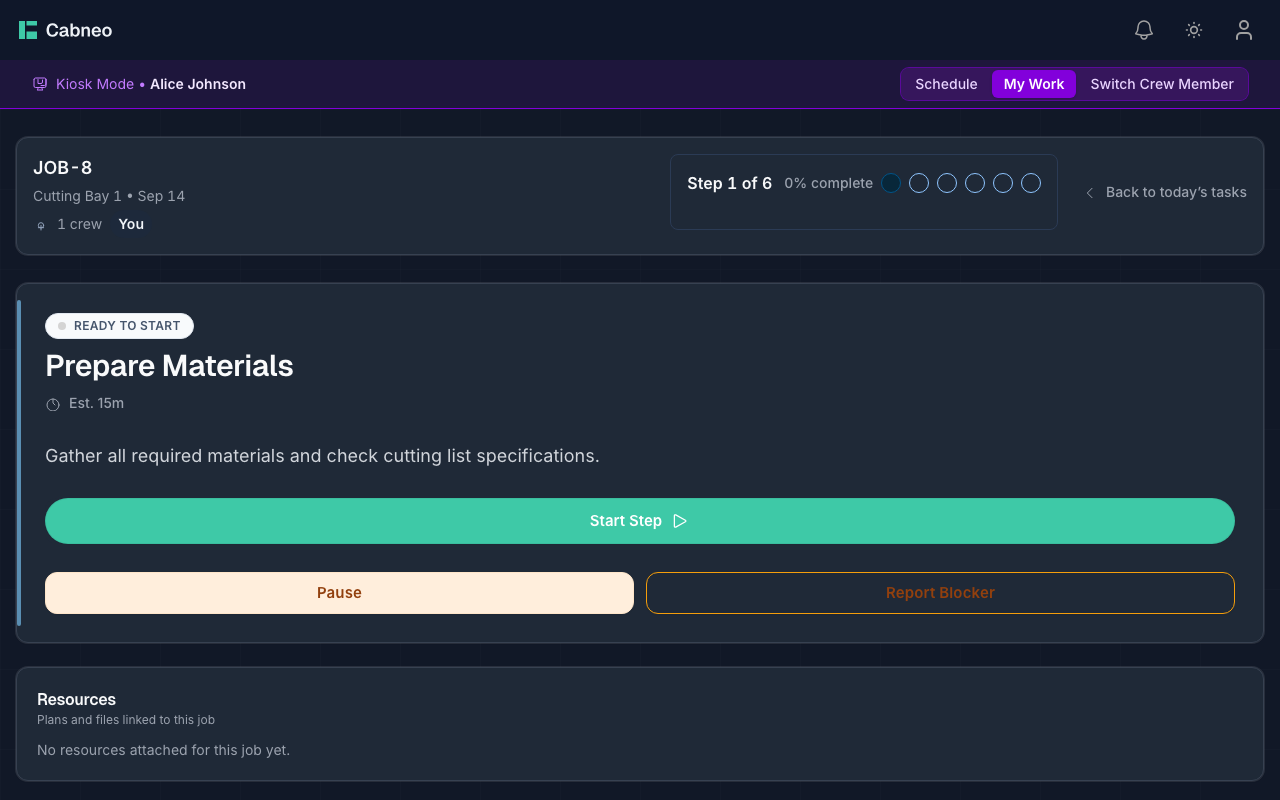
Focus mode is built for execution, not planning.
- Current step and status are always visible.
- Workers can start a step, mark it done, and move forward.
- Pause when reality changes.
- Report Blocker to surface an issue without phone calls.
Progress and attribution are recorded after each action.
4) Switch worker safely
Use Switch Crew Member to hand the kiosk to the next person without leaving workshop mode.
What admins and foremen see
From a separate personal account, open Floor, then Crew. Each crew row shows what is assigned, what is underway, and what is next. After a worker records an action on the kiosk, the corresponding state appears against that crew member.
For critical open work, weekly workload, and installer updates, see Crew Visibility.
What the kiosk updates
When a worker uses kiosk mode, Cabneo updates:
- task status and step progress
- worker attribution
- the Crew view and related operational views used by planners and supervisors
This keeps office and floor in sync on the same source of truth.