See the week behind an install date.
An installation date can look safe until you put the workshop hours beside it. Open the planning review from the job to see its proposed stages against the work already booked in each centre.
If this job cannot fit on its own, Cabneo checks whether eligible work on other jobs can move later. The full-width calendar shows those required moves beside this job's work. Nothing changes until you apply the plan.
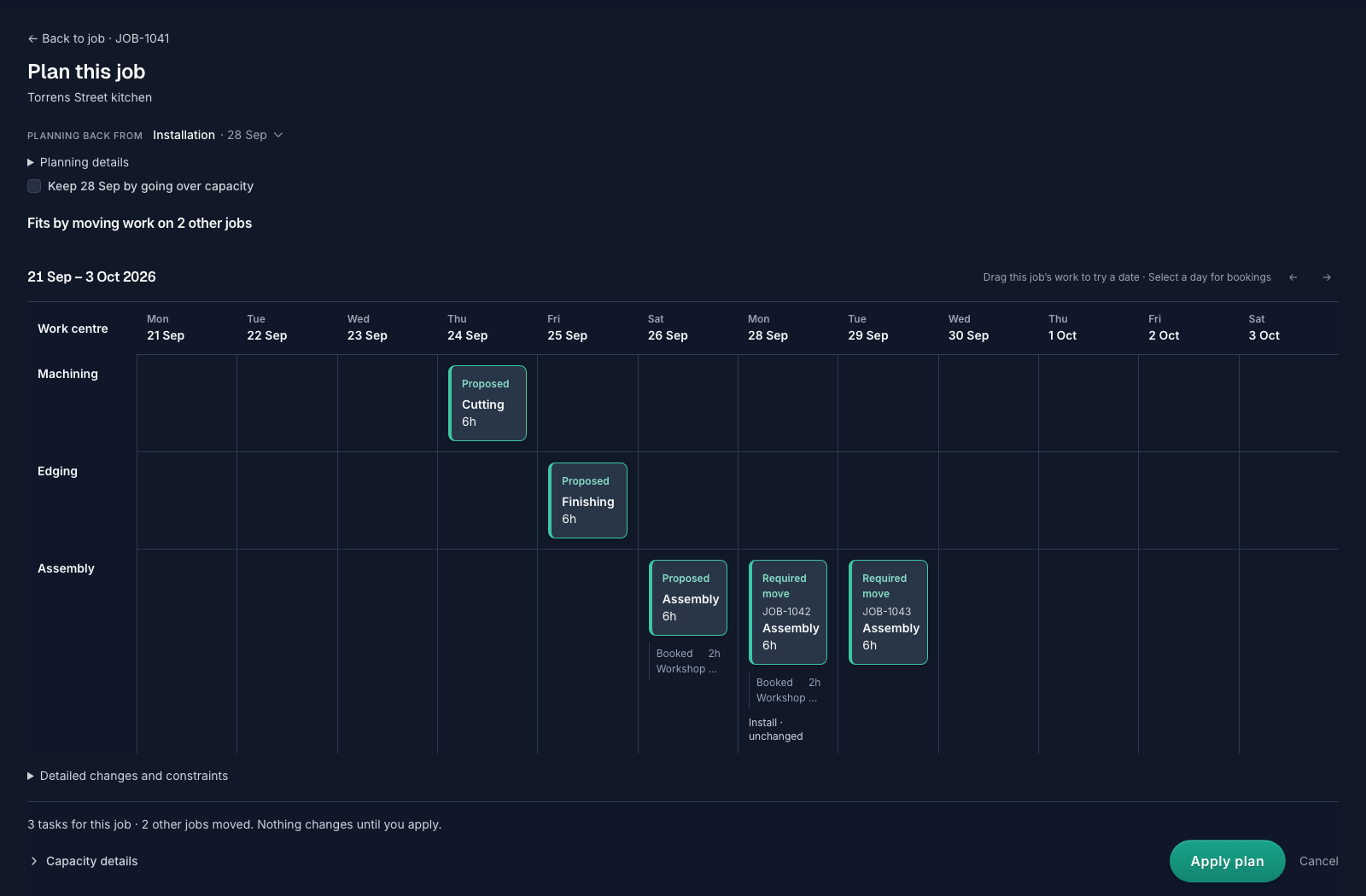
See the hours behind a move.
Select a day to see its proposed work, existing bookings and planned hours against that centre's capacity. A required move names the other job and its proposed date. If that date must stay, try keeping it and review the new answer before deciding.
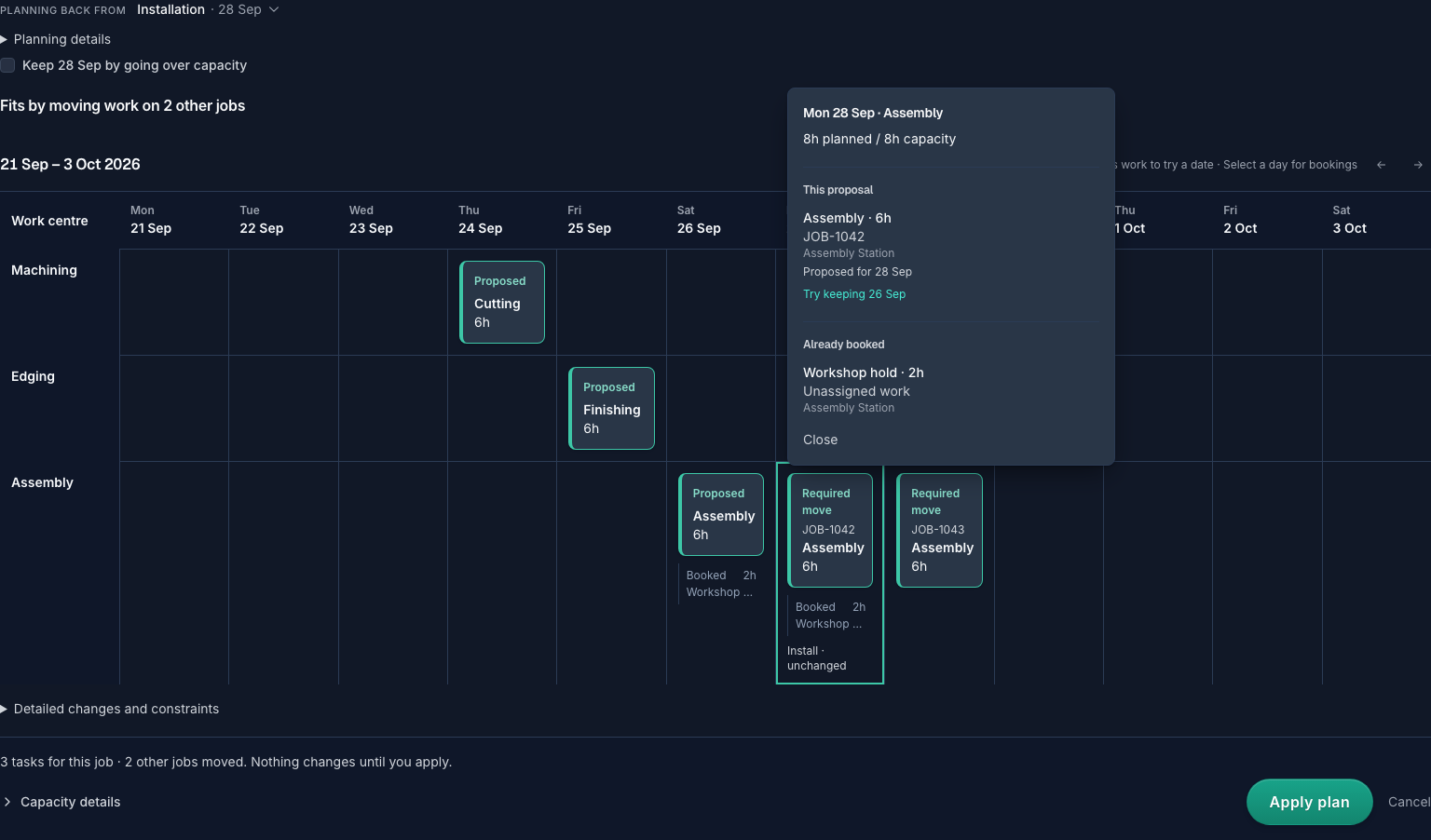
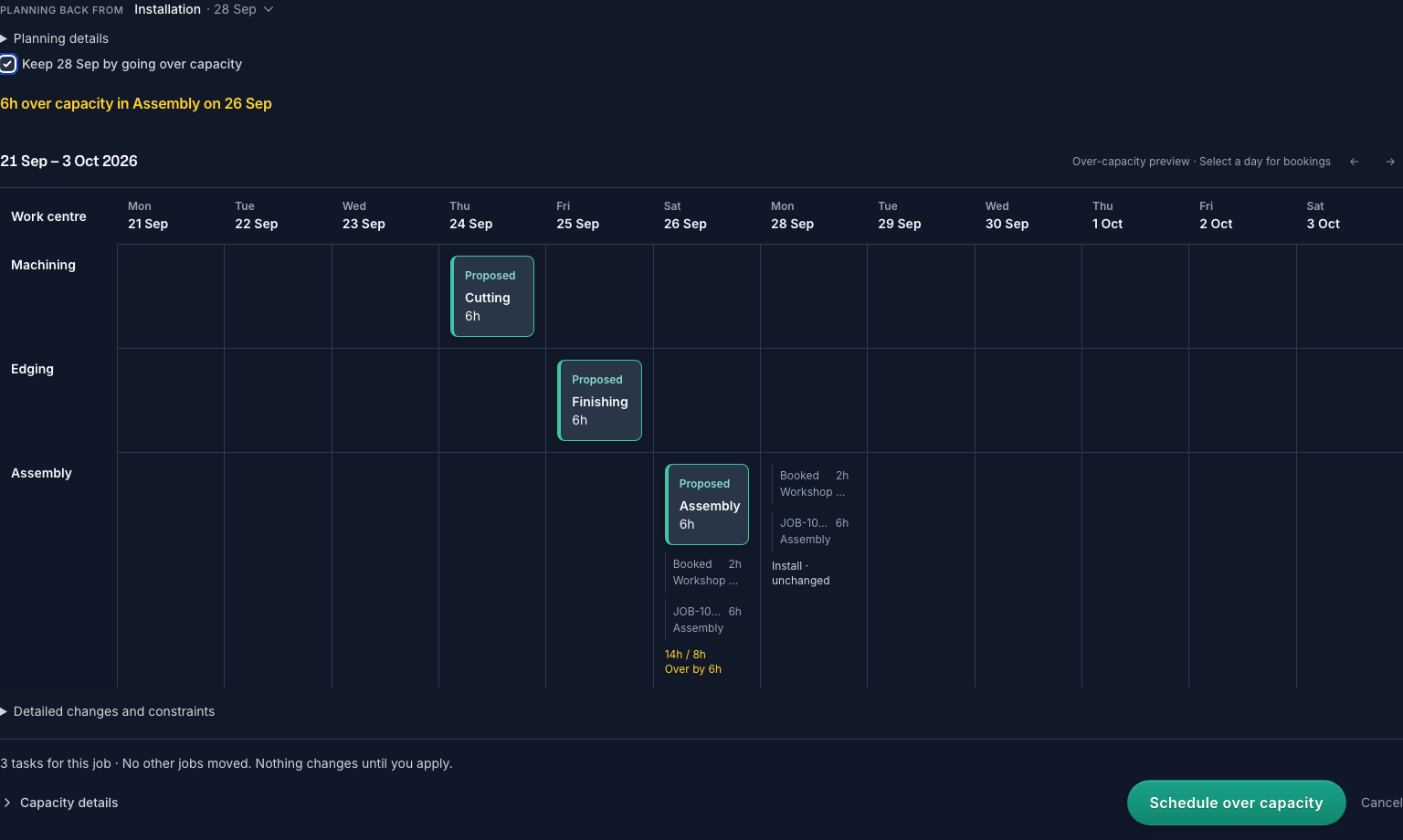
If the date needs overtime, name the shortage.
Keeping the installation date can mean going over capacity. That is a separate preview: the affected centre, day and missing hours are visible, and other jobs stay where they are. Cabneo does not add hours to your configured capacity or claim that someone is available to work them. The action says Schedule over capacity so the decision is explicit.
What this review does — and what it doesn't
Check the date before you commit to it.
Start free, add one upcoming job and review the workshop dates it would need. No card or sales call required.