One page of job truth.
For most cabinet makers, the moment a job is accepted is the moment it scatters: the quote lives in CAD, the costing in Excel, the invoice in Xero, and the real plan in someone's head.
Cabneo's job management gives that accepted job one operational home — target date, labour estimate, tasks, schedule, and delivery context on a single page — without asking you to rebuild the quoting stack you already trust.
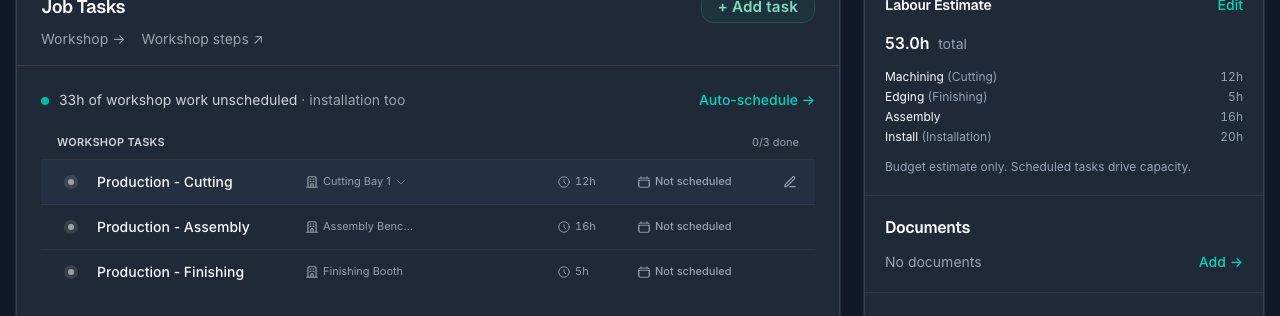
Accepted job to believable schedule, in minutes.
The workflow is short on purpose: enter what you already know, let Cabneo draft the work, then place it on real capacity.
Quick Job: enter what you already know
A job reference, a target or install date, and rough labour hours for machining, edging, assembly, and install — the numbers your spreadsheet or CAD summary already gave you. No product catalogues or quote rebuilding required before scheduling can start.
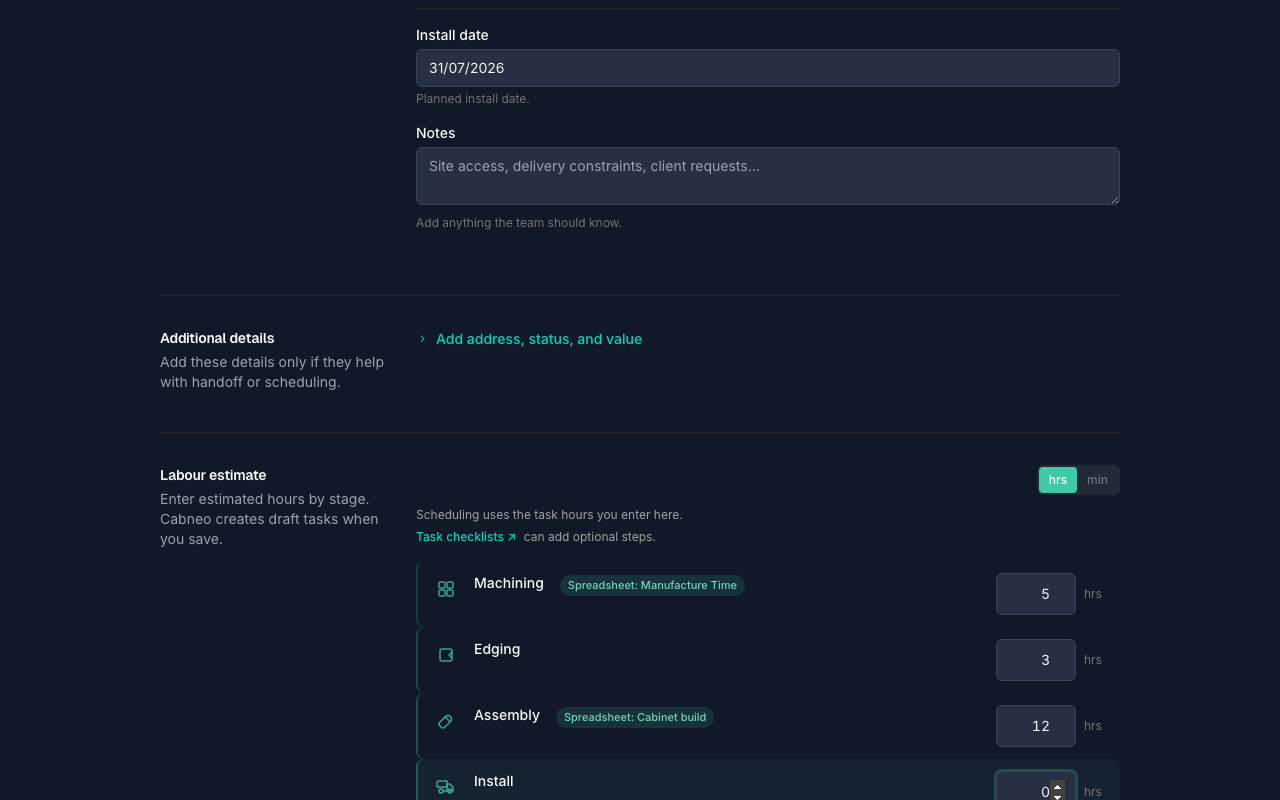
Labour estimate becomes draft tasks
Saving the job stores the labour estimate and creates draft planning tasks — demand captured before any dates are committed. Then use Schedule tasks for guided placement, or drag the work onto days yourself on Centre Schedule.
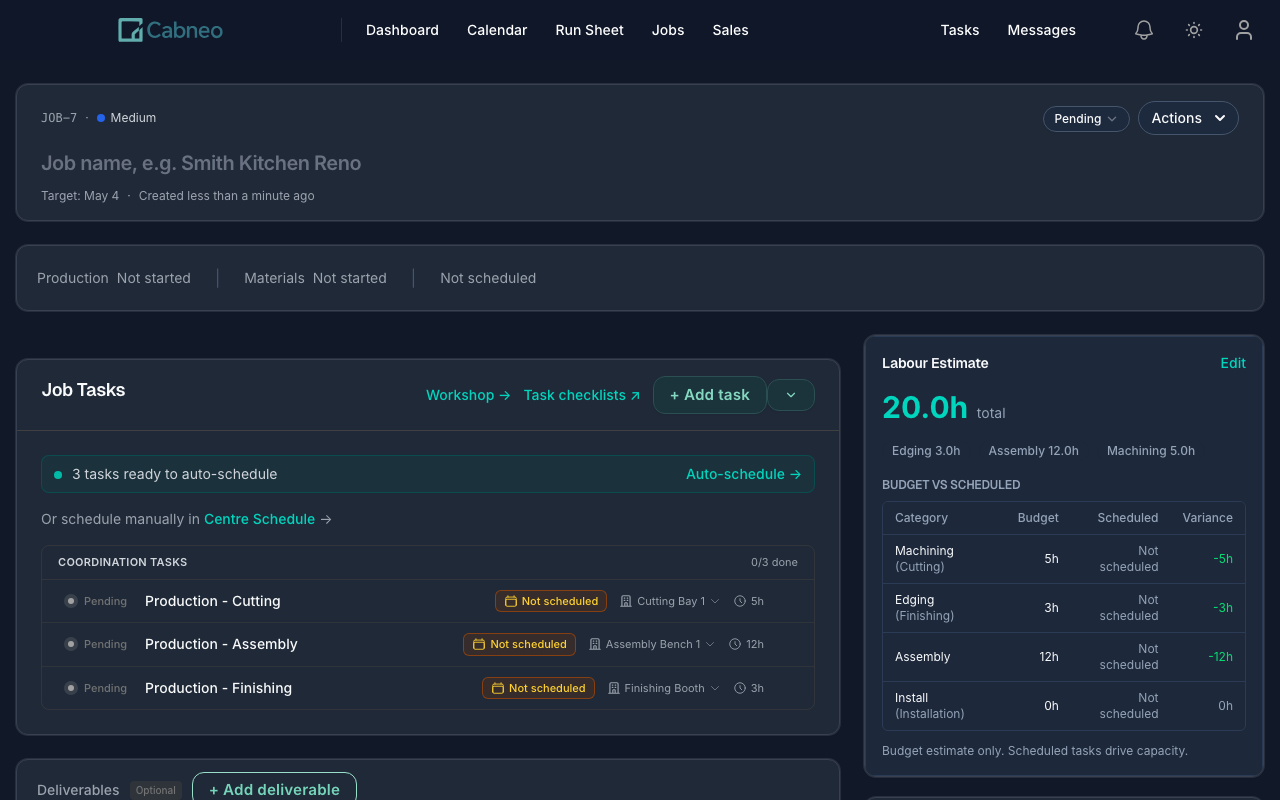
Live job status
A read-only strip summarising the production plan, delivery commitment, and install work from records that already exist — no extra status field to keep updated.
Go-out check
The delivery commitment shows a readiness verdict, edited in place from the same strip — one source of truth for whether the job is ready to go out.
Installer updates
Short progress notes from install crews appear on the job — on track, blocked, needs a return visit, or complete. Advisory, never schedule-mutating.
Recorded time for invoice prep
Once execution starts, a Time summary pairs the labour estimate with recorded time from completed work — review it before invoicing. Not a payroll timesheet.
Job management, honestly answered
Give your next accepted job one home.
Create a job with a date and rough hours, and see it on a live schedule minutes later. Start free — no credit card, no sales call.