Your spreadsheet is another way to start.
Start with one upcoming job: a reference, install date and rough stage hours. Save it to the backlog, then review and confirm its schedule.
Already plan in Excel or Sheets? Paste up to 20 rows instead. Review the values before importing, then review the first job’s schedule separately.
Start a free account
Sign up and confirm your email. No credit card, no sales call. Sign in, then choose Add your first job or the spreadsheet paste alternative.
Paste your week
Copy up to 20 upcoming jobs from Excel or Sheets — job references, target or install dates, and rough machining, edging, assembly, and install hours.
Review, import, schedule
Cabneo checks every date and stage-hour value and shows a complete preview. Nothing is created before review; imported jobs wait in the backlog until you schedule the first one.
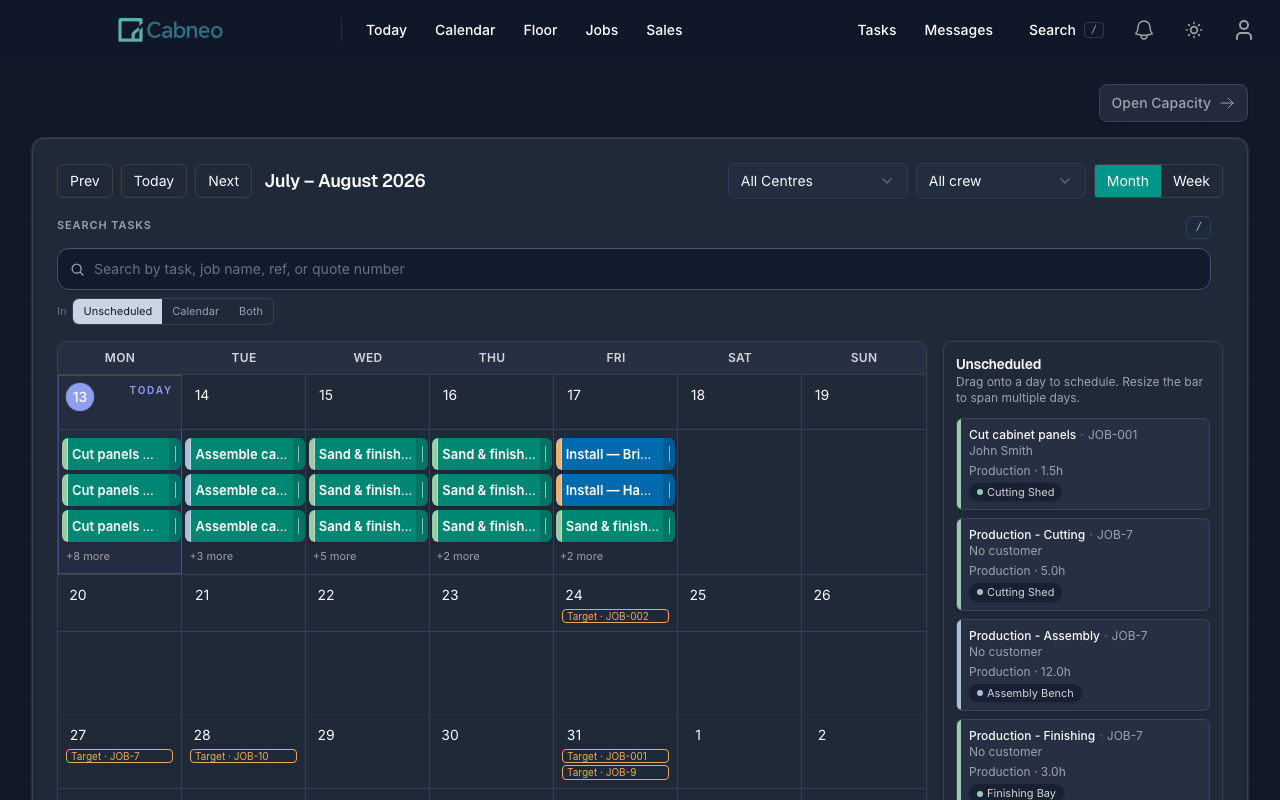
The payoff: your first job, on a schedule that answers back.
Once your jobs are scheduled, see where their hours land. Which shed is overloaded Thursday? What's unscheduled? Which install is at risk? Review the load before deciding what to schedule next.
First-week setup, honestly answered
Start with the work you know.
Add one upcoming job or paste your spreadsheet rows. Review the hours and dates before confirming the schedule.