Booked hours you can explain.
Workshop capacity planning usually fails one of two ways: a spreadsheet that drifts from reality, or a chart nobody can drill into. Either way, when the owner asks "can we take this job for the 12th?", the answer is a guess.
Cabneo keeps capacity believable by deriving it from scheduled tasks — so every booked hour on the weekly scan traces back to a real piece of work on a real day.
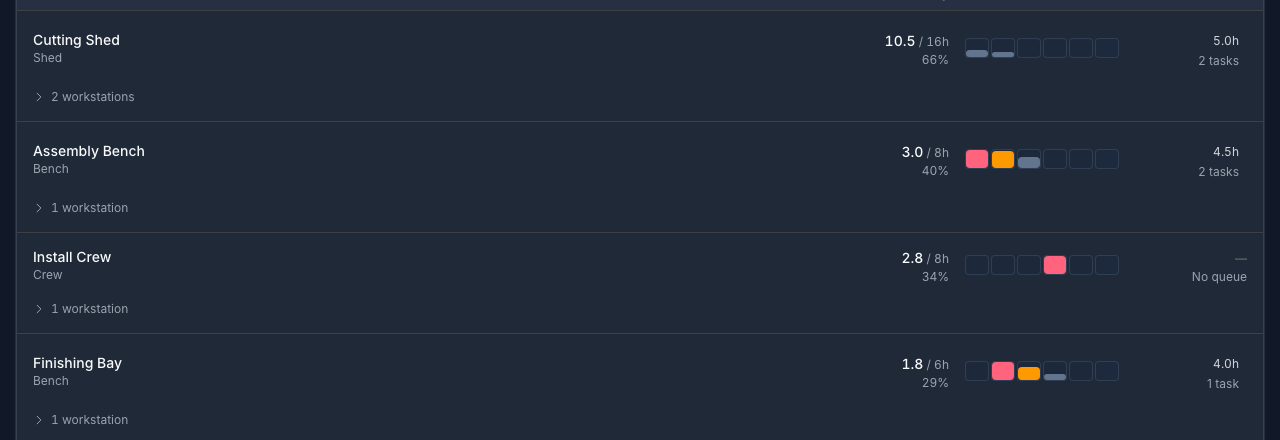
From weekly scan to day-level truth.
Three surfaces share the same underlying schedule, so the overview, the day plan, and the exception list never disagree with each other.
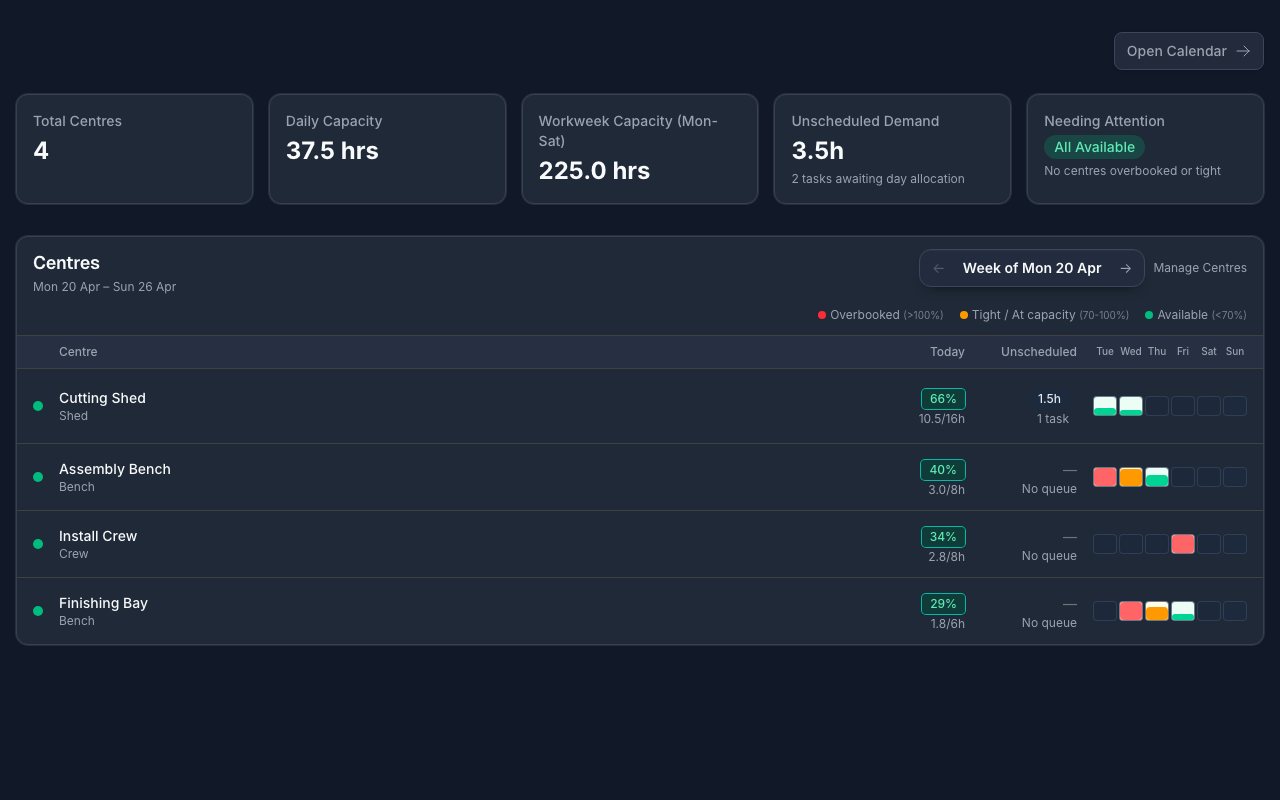
Capacity Planning: the calm weekly scan
A list-first view of every centre's week — booked hours on one side, unscheduled demand on the other, kept deliberately separate so capacity stays honest. Spot the idle bench and the overloaded shed in one pass, without reading a Gantt chart.
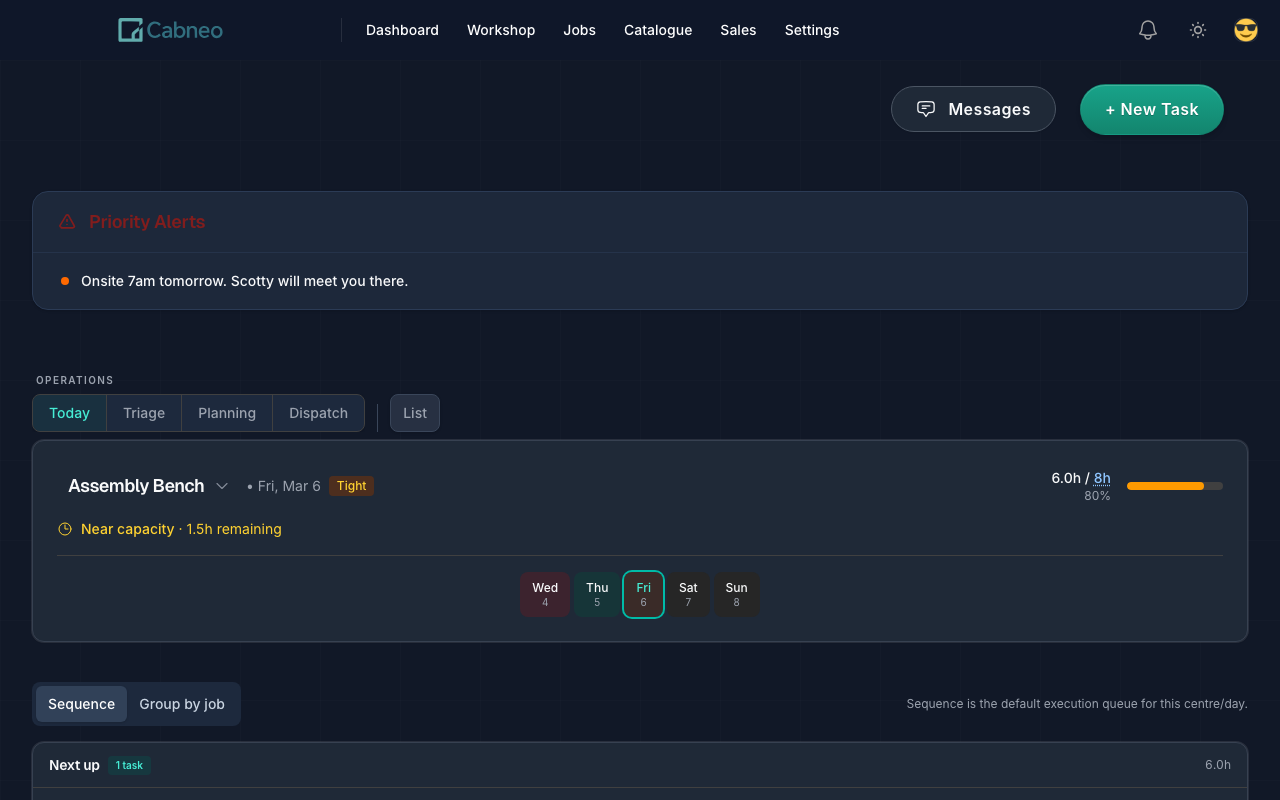
Run Sheet: the tasks behind the hours
Drill from any centre's day into its Run Sheet — the execution truth for that day, task by task, with All Centres support when you want the whole floor at once. When someone asks why Thursday is full, you show them, you don't argue.
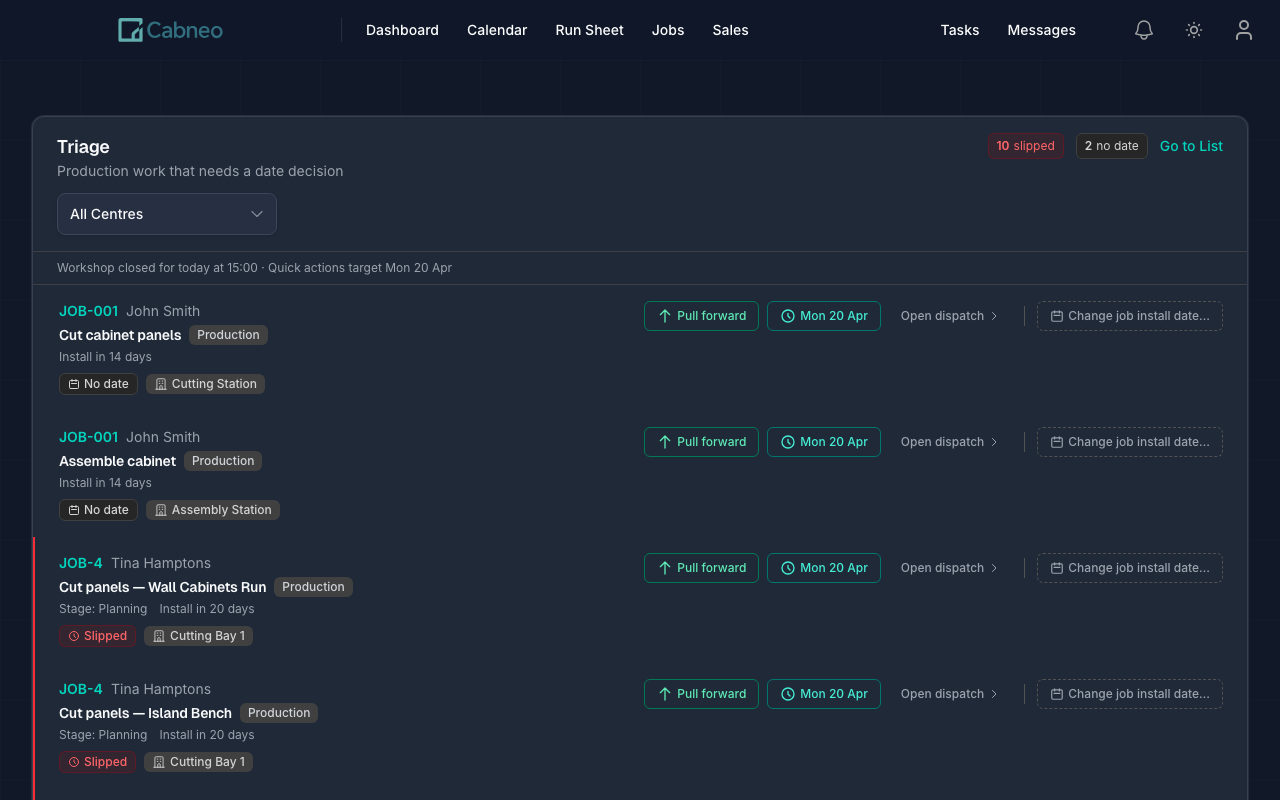
Triage: the scheduling inbox
Unscheduled and slipped work lands in Triage instead of disappearing. Pull it forward, add it to today, or push it to the next work day — so the plan absorbs surprises instead of quietly rotting.
Capacity planning, honestly answered
Stop defending numbers you can't explain.
Paste one real week and see your own centres, load, and gaps on screen. Explainable hours from the first afternoon — no credit card, no sales call.