Catch it before install day.
Every shop has a version of the undrilled door: a prep task for Thursday's install that everyone flagged, nobody owned, and that turned up unfinished on install morning.
Cabneo moves that discovery from install day to days earlier — without timesheets, utilisation meters, or surveillance.
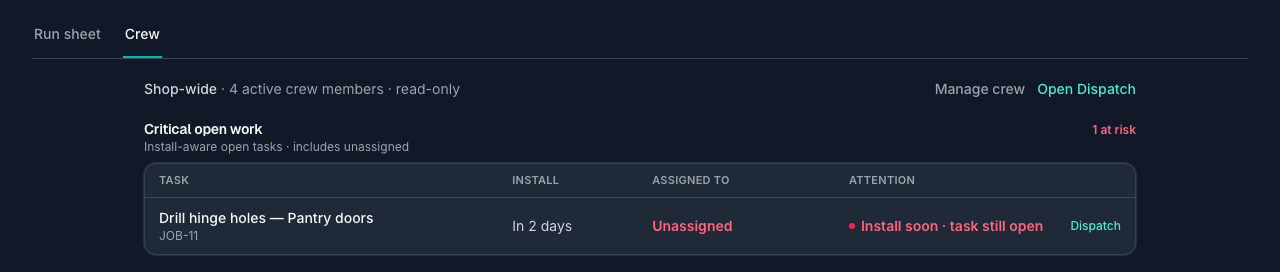
What's still open — and who's carrying it.
Three views, in the order the questions actually come up: what's about to bite, how the floor keeps it current, and who has room next week.
Critical open work — including the tasks nobody owns
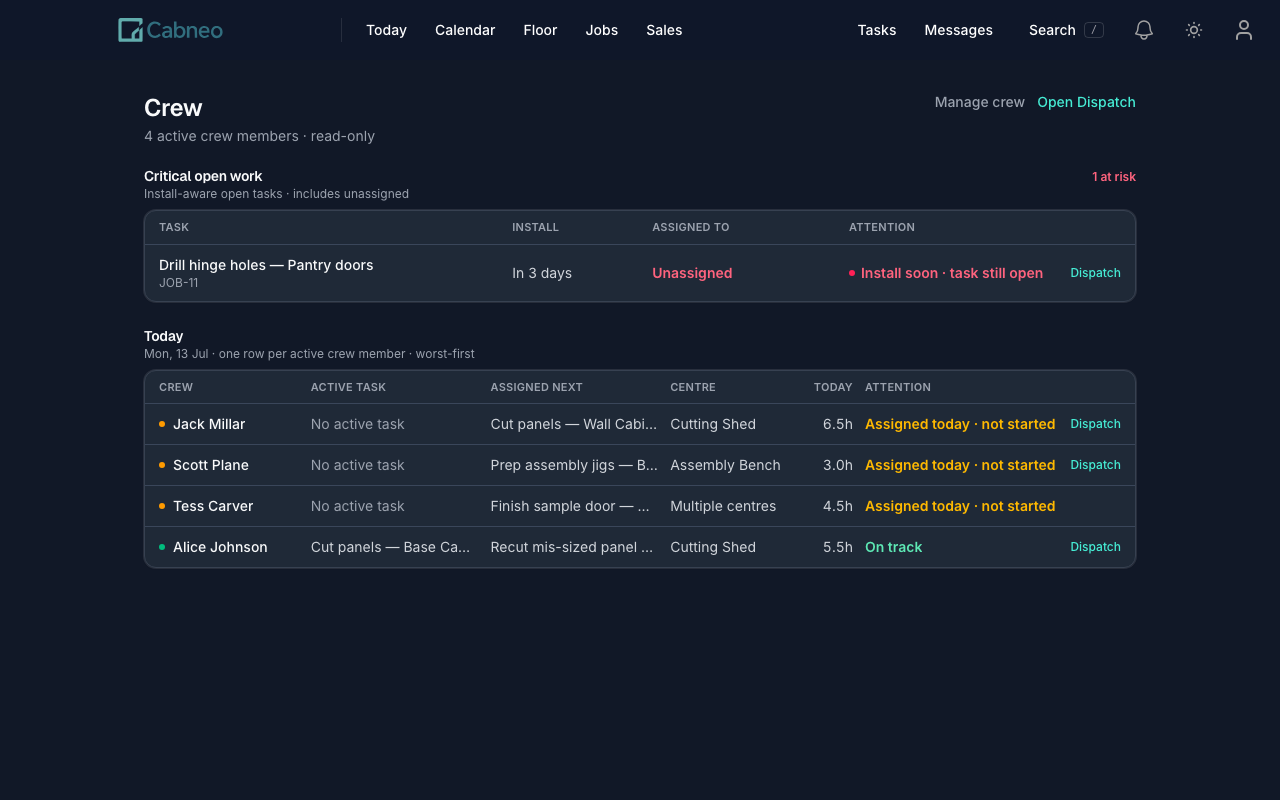
The Crew page leads with install-aware open tasks sorted worst-first, and unassigned work has a row here — which no per-worker list can give you. Imminent installs lead; chronically overdue work drops into a collapsed needs-review group so a backlogged job never buries today's real risk. A calm one-row-per-person roster sits underneath.
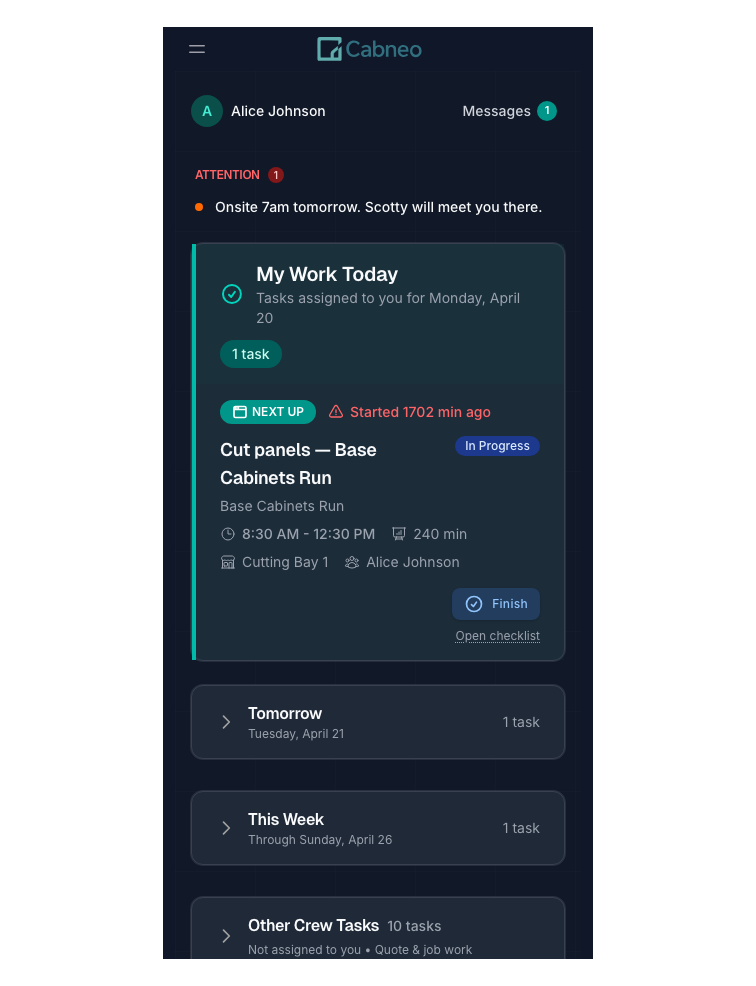
A kiosk the crew will actually use
On the floor, workers tap their name on a shared kiosk, open Next up, and run a simple job card — start, finish, or flag a blocker, with optional reusable steps for repeatable work. Actions are attributed to the person, progress reaches the office instantly, and nobody fills in timesheets.
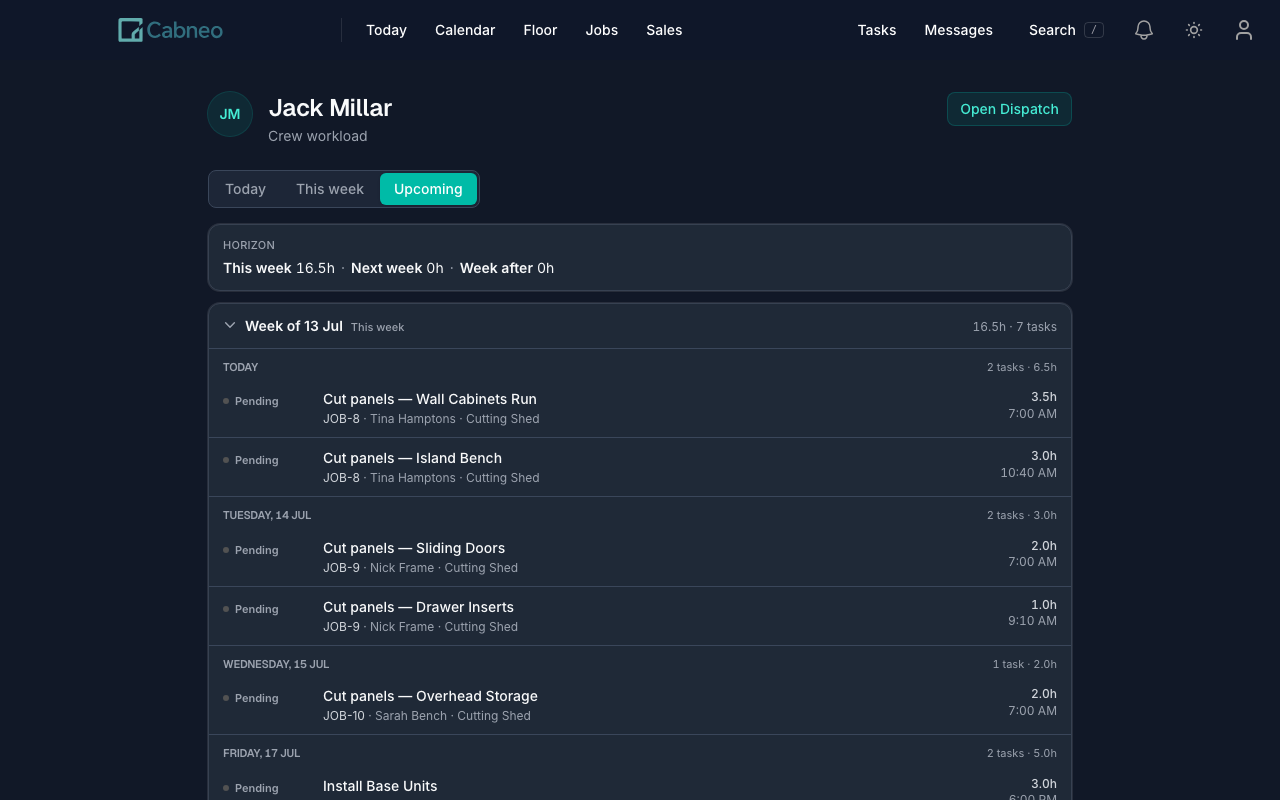
Workload in plain hours, weeks ahead
Is Ben loaded next week? His workload answers in absolute scheduled hours — this week 16h, next week 22h, week after 6h — expandable down to days and tasks. Deliberately no percent-booked meters, capacity gauges, or league tables: this is for planning people's weeks, not scoring them.
Installer updates from site
Install crews leave short progress notes — on track, blocked, needs a return visit, or complete. Advisory only: an update never moves the schedule or completes a task.
Recorded time, for invoice prep
Time from completed work is summarised on the job for review before invoicing. It is not a payroll timesheet, and Cabneo never frames it as one.
Crew visibility, honestly answered
Catch the next one days early.
Start free, load a real week, and see your own critical open work — including the task nobody owns — before it becomes install-morning news.