Centres & Workstations
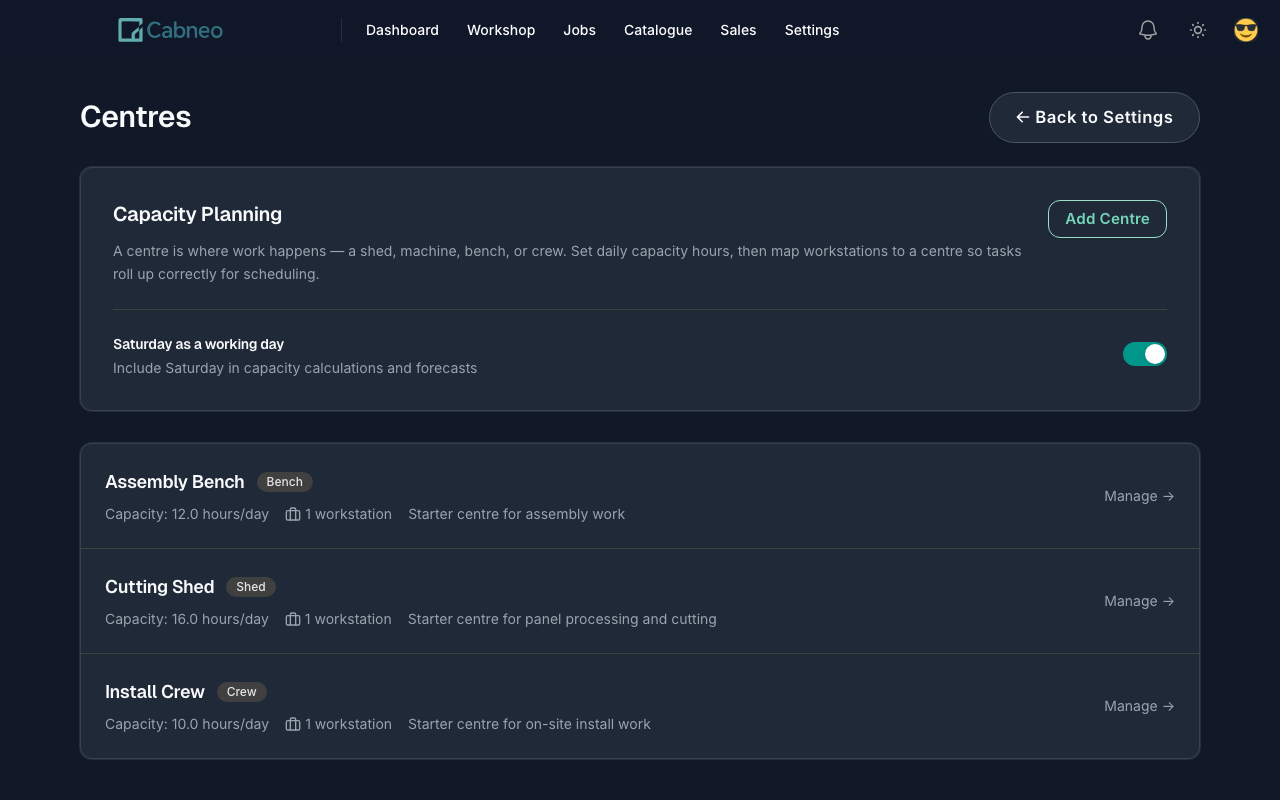
A centre is where work queues up in your shop — a shed, a machine, a bench, or a crew. If it has its own queue of work each week, it's a centre.
Typical centres for a cabinet shop:
- Cutting Shed — panel saw, CNC
- Assembly Bench — carcass and fit-up work
- Install Crew — onsite delivery and install
What centres do
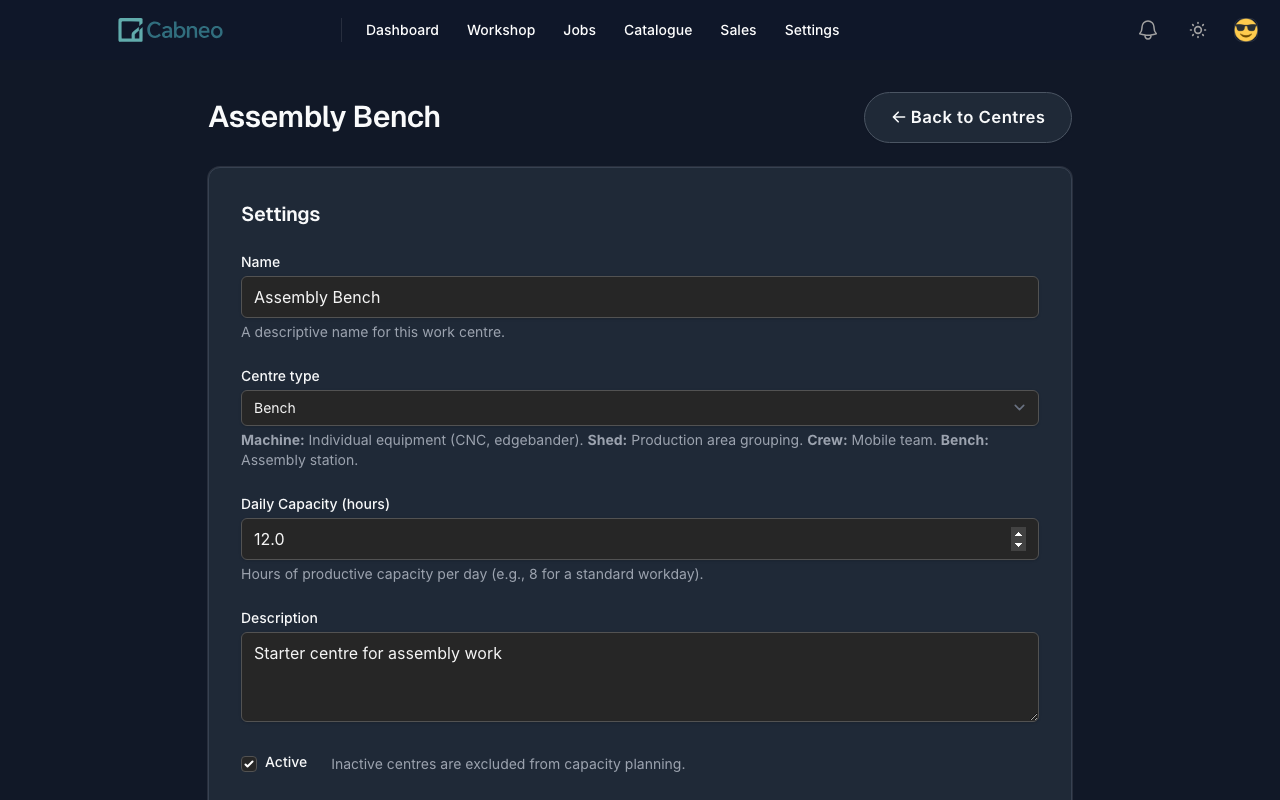
Each centre has a daily capacity in hours — for example, two people on the bench is 16h/day. Every job's tasks are scheduled into a centre on a day, and that's what powers the planning views:
- Calendar (Centre Schedule) shows what each centre is doing and when.
- Capacity Planning shows how booked each centre is across days, so you spot overload early.
- Floor (Run Sheet) gives each centre its own day sheet of the work behind the booked hours.
Centres vs workstations
A workstation is the specific station inside a centre that a task is assigned to. Workstations roll up into centres.
Example: CNC Router 1 and Panel Saw are workstations mapped to the Cutting Shed centre. Capacity and planning happen at the centre level; the workstation just records where within the centre a task sits.
New accounts start with three editable centres and mapped workstations (Cutting Shed, Assembly Bench, Install Crew). Rename and adjust them in Settings -> Centres to match how your shop actually plans.
How many centres do you need?
Count the areas you actually plan around — not every machine you own. Most shops plan around 3–8 centres:
- Cutting, assembly, and install -> 3 centres. Starter covers up to 3.
- Add edging, spray/finishing, a second bench, or multiple install crews -> Workshop covers up to 8.
- More than that -> Pro (unlimited), or add +5 centres to any plan for $25/mo.
Centres are planning buckets, not people: workshop workers and installers are unlimited on every plan. See Pricing for the full plan details.